Why You Should Feature Your Staff on Your Website: Faces, Names, and Connections Matter
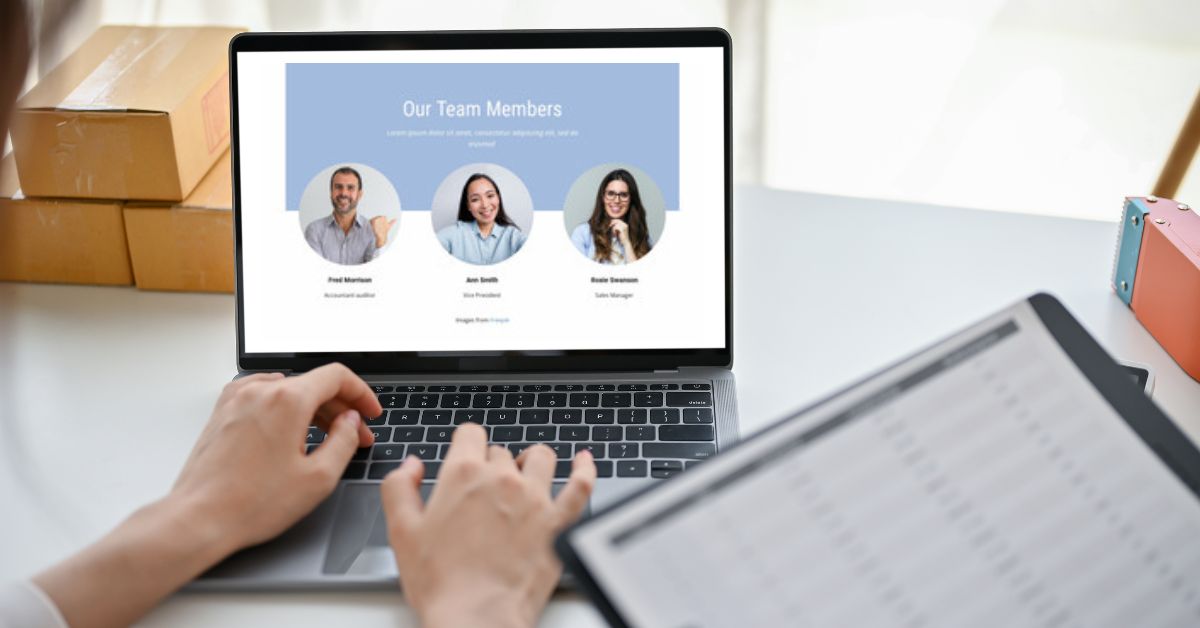
When visitors land on your website, they are not only evaluating services, products, and prices. They are also asking a quieter question: “Who are the people behind this business, and do I feel comfortable contacting them?”
Showing the people who do the work is one of the simplest ways to make a website feel more credible and approachable. A thoughtful staff page can turn an anonymous company into a group of real people—and that can make reaching out feel much easier.
But simply uploading a grid of headshots is not the whole strategy. The information you include, the way it is written, and how easy it is to maintain all matter.
In this article
- People Want to Know Who They Are Hiring
- Faces Make a Business Easier to Trust
- Staff Bios Should Sound Like People, Not Résumés
- Make It Clear What Each Person Does
- Individual Staff Pages Can Support Search and Expertise
- Staff Content Can Improve the Rest of the Website
- Be Thoughtful About Contact Information and Privacy
- Keep the Page Current
- What If You Are a One-Person Business?
- When a Staff Page May Not Be the Right Choice
- A Practical Staff-Page Checklist
- The Real Benefit Is Reduced Uncertainty
- Need Help Making Your Website Feel More Human?
People Want to Know Who They Are Hiring
This is especially true for service businesses, nonprofits, professional firms, public agencies, and organizations where customers will interact directly with a specific person.
If you’re weighing a similar project, see the website and digital marketing services I provide directly.
A prospective client may want to know:
- Who will answer the phone or email
- Who has the expertise they need
- Whether the company feels welcoming and trustworthy
- Whether there is a real team behind the brand
- Who they should contact for a particular question
A staff page helps answer those questions before the first conversation begins.
Faces Make a Business Easier to Trust
Stock photos can make a website look polished, but they cannot replace the trust created by showing the actual people behind an organization.
Real staff photos signal that the business is established, accountable, and comfortable being visible. They also help visitors feel like they already know a little about the person they may meet, call, or work with.
The photos do not have to look overly formal. They do need to be consistent, current, and appropriate for the personality of the organization. For many small businesses, a relaxed but professional portrait is more effective than a stiff corporate headshot.
Staff Bios Should Sound Like People, Not Résumés
A useful bio gives visitors enough information to understand the person’s role and why they are qualified, without reading like an employment application.
A strong staff bio can include:
- Name and job title
- What the person actually helps customers with
- Relevant experience or credentials
- A short explanation of their approach
- One human detail, when appropriate
- A clear way to contact them or the organization
The best human details are specific but not forced. A sentence about volunteering locally, coaching a youth team, collecting records, or always knowing the best place for lunch can make someone memorable. A generic line such as “John enjoys spending time with family” rarely adds much.
The tone should match how the team actually communicates. If your business is friendly and conversational, the bios should not sound as if they were copied from a legal filing.
Make It Clear What Each Person Does
Visitors should not have to decode internal job titles.
“Client Success Specialist” might make perfect sense inside the company, but a visitor may still wonder whether that is the person to contact about billing, scheduling, technical support, or a new project.
A brief plain-language explanation helps:
Maria coordinates new client projects and is the best first contact for scheduling, onboarding, and questions about what happens next.
That single sentence can reduce confusion and route inquiries more effectively.
Individual Staff Pages Can Support Search and Expertise
Not every employee needs an individual page. For organizations with specialists, leadership, public-facing experts, authors, attorneys, healthcare professionals, consultants, or technical staff, individual profiles can be valuable.
A complete profile may support searches for the person’s name, reinforce professional credentials, and provide an appropriate destination for articles, presentations, media appearances, or community involvement.
Individual pages make the most sense when there is enough meaningful information to justify them. Creating twenty nearly empty profile pages is not better than one well-organized team page.
Staff Content Can Improve the Rest of the Website
Team information should not always live in isolation.
Depending on the business, staff profiles can connect naturally to:
- Service pages showing who provides a particular service
- Blog articles written or reviewed by a subject-matter expert
- Locations showing the people based at each office
- Case studies explaining who led the work
- Contact pages that route inquiries to the right department
These connections help visitors understand both the expertise and the real-world experience behind the business.
Be Thoughtful About Contact Information and Privacy
Approachability does not require publishing every employee’s direct phone number and email address.
Before posting personal contact information, consider:
- Whether the employee wants their direct information published
- Whether a central contact form would work better
- How much spam the address may receive
- Whether the role involves safety or privacy concerns
- Whether staff changes frequently
For many organizations, a role-based address or central contact path is easier to maintain. You can still tell visitors whom they are contacting without exposing unnecessary personal details.
Always get permission before publishing photos, biographies, or contact information.
Keep the Page Current
An outdated staff page can undermine the trust it was intended to build.
Common problems include:
- Former employees remaining on the website
- New employees never being added
- Old titles and credentials
- Photos from many different eras and styles
- Broken email links
- Leadership information that no longer reflects the organization
Staff changes should be part of a regular website-management process. When someone joins, changes roles, or leaves, updating the website should be on the same checklist as email access and internal systems.
What If You Are a One-Person Business?
A solo business may benefit from showing the person behind the work even more.
There is no large brand for the visitor to lean on. They are choosing you—your judgment, communication style, experience, and reliability.
An approachable photo and a candid explanation of how you work can help prospective clients decide whether the fit feels right. It does not need to become an autobiography. It simply needs to give people a sense of who will be on the other side of the conversation.
That is the same reason I am open about my own background and approach. Good-fit clients should have a reasonable idea of who they are contacting before they schedule a call.
When a Staff Page May Not Be the Right Choice
There are legitimate cases where listing employees individually is unnecessary or unwise.
A detailed staff directory may not make sense when:
- Employee turnover is extremely high
- The organization has safety or privacy concerns
- Customers interact with roles or departments rather than individuals
- The business cannot maintain the information reliably
You can still humanize the organization through group photos, leadership profiles, behind-the-scenes content, workplace photography, or stories about how the team serves customers.
The goal is not to follow a website trend. It is to help visitors feel confident that real, capable people are behind the business.
A Practical Staff-Page Checklist
Before publishing or refreshing your team page, check the following:
- Every listed employee is still with the organization
- Names, titles, and credentials are accurate
- Photos feel visually consistent
- Bios explain what each person actually does
- The writing sounds natural and on-brand
- Contact options work and respect employee privacy
- The page is easy to use on a phone
- Staff profiles connect to relevant services or expertise
- Someone is responsible for keeping the page current
The Real Benefit Is Reduced Uncertainty
A staff page is not valuable merely because it adds faces to a layout. It is valuable because it removes uncertainty.
Visitors can see who is behind the business, understand the team’s experience, find the right contact, and feel more comfortable taking the next step.
That combination of clarity and humanity is difficult to manufacture with slogans. Often, the most persuasive thing a business can do is simply show the capable people already doing the work.
Need Help Making Your Website Feel More Human?
If your website feels polished but distant—or visitors still struggle to understand who you are and why they should contact you—the solution may be clearer content and structure rather than an entirely new site.
Let’s talk about what your website needs. I’m happy to look at what is currently in place and give you an honest assessment of what would make the biggest difference.
Share this article

Written by : Casey Dolan
Casey Dolan is a website and digital marketing consultant with 20 years of experience helping businesses, nonprofits, and events make clearer decisions online. He works directly with clients on WordPress websites, SEO, paid media, and practical digital strategy—without the agency runaround.
Related insights

January 28, 2026